The Anatomy of Reasoning + Acting (ReAct) 🔄
Standard LLMs operate in a single-shot generative fashion. When asked to solve complex problems, they attempt to answer immediately, leading to high rate of logical errors and hallucinated tools. The ReAct framework, introduced by Yao et al. in 2022, overcomes this by forcing the LLM to write down its reasoning steps before choosing and calling tools.
Step-by-Step Cycle Mechanics
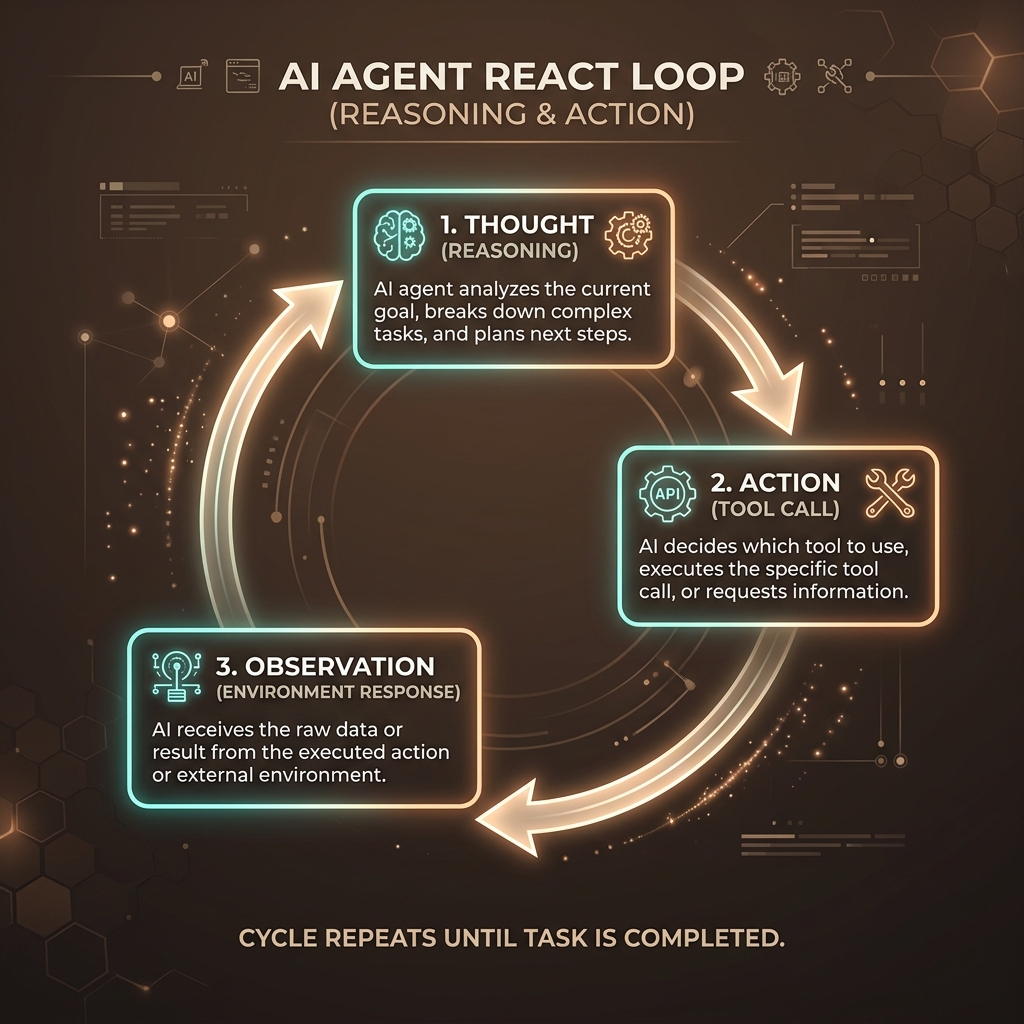
A ReAct-enabled agent operates in a continuous, state-preserving loop that consists of three fundamental phases:
- 1. Thought: The agent analyzes the user's prompt, its current progress, and the outcomes of previous tool actions. It outlines what info is missing and decides which tool to call next.
- 2. Action: The agent issues a structured request to execute an external helper tool (e.g. searching google, performing database queries, executing python math).
- 3. Observation: The runtime environment executes the tool and passes the raw text output back to the agent's context window. The agent treats this as the factual ground truth.
Visualizing the ReAct Architecture
The diagram below illustrates how an autonomous agent moves between internal cognitive steps and external tools.
Implementation Blueprint: The Execution Loop
Below is a production-grade Python implementation of a synchronous ReAct execution runner showing how tool outputs are captured and fed back into the agent context:
class AgentExecutor:
 def __init__(self, agent_model, tools_registry):
 self.model = agent_model
 self.tools = tools_registry
 self.history = []

 def run(self, user_query: str, max_iterations=5):
 self.history.append({"role": "user", "content": user_query})

 for step in range(max_iterations):
 # 1. Ask the model for the next step (Thought + Action)
 response = self.model.generate(self.history)
 self.history.append({"role": "assistant", "content": response})

 # Parse the structured action (e.g. Action: search_weather[Paris])
 action = self.parse_action(response)
 if not action:
 # No action means the agent finished reasoning and returned final answer
 return response

 # 2. Execute the tool
 print(f"[Loop {step}] Executing tool: {action.tool_name} with {action.args}")
 tool = self.tools.get(action.tool_name)
 observation = tool.execute(action.args)

 # 3. Supply the observation back to context window
 print(f"[Loop {step}] Result: {observation}")
 self.history.append({"role": "system", "content": f"Observation: {observation}"})

 raise TimeoutError("Agent exceeded max iterations without resolving query.")
Mitigating Loop Failures & Hallucinations
In production, agent loops can fail in several predictable patterns:
- Infinite Ping-Pong Loop: The agent calls the same tool with the exact same arguments repeatedly. This is mitigated by keeping a strict history of previous actions and prompting the agent to self-correct.
- Tool Format Violations: The LLM generates invalid JSON or incorrectly formatted tool arguments. Standard tool runtimes catch these errors and feed the trace output directly back to the agent as an observation:
"Error: Invalid argument type". - State/Context Window Degradation: Long loops fill up the token limit context window. System designs must implement summarization models or prune historic tool outputs to keep the agent responsive.